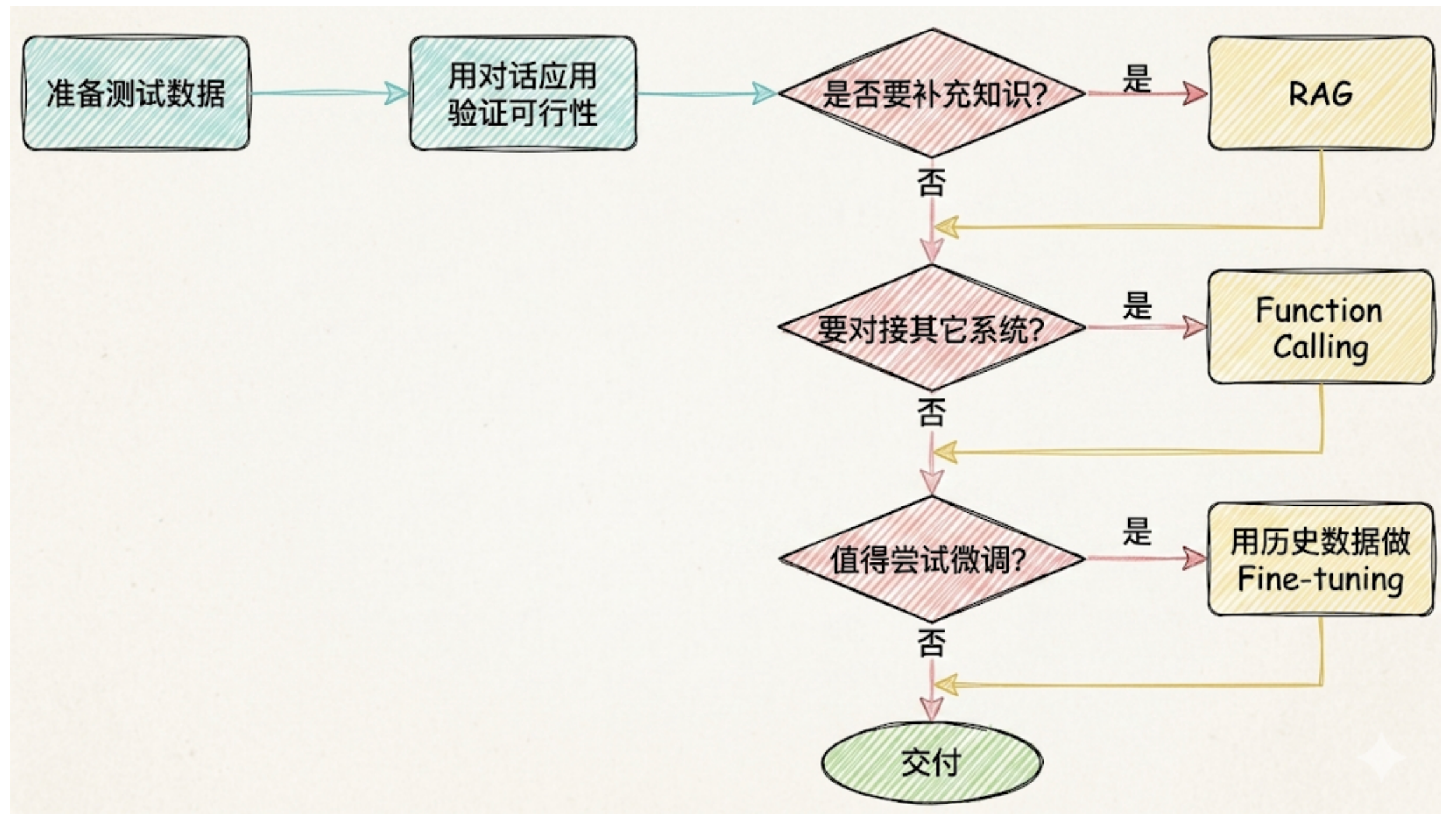
搜索文档
大语言模型的局限性
- 知识受限于训练数据。
- 无法直接与外部系统交互(调用工具、数据库、API等)。
- 不具备状态保持能力(上下文记忆能力)。
官网文档
- LangChain 官网:https://www.langchain.com
- GitHub:https://github.com/langchain-ai
- 中文文档:https://docs.langchain.org.cn/oss/python/langchain/overview
- 英文文档:https://docs.langchain.com/oss/python/langchain/overview
- API 文档查询地址:https://reference.langchain.com/python/langchain
LangChain 家族
- LangChain:基础能力(地基)。
- LangGraph:复杂工作流的编排(比较牛逼)。
- DeepAgent:多智能体协作(最牛逼的)。
- LangSmith:应用监控、性能评估、问题调试(可以视为一个工具)。
前置知识
Python 基础
- 变量、流程控制、函数与参数机制、类与对象、装饰器。
- 常用的容器(列表、元组、集合、字典)、JSON处理、异常处理。
- 模块导入、包管理(推荐用pip 或 conda)、线程与协程。
大语言模型基础
- 了解什么是 LLM、Token、Prompt、Embedding。
- OpenAI API 或其他模型提供商,如 Anthropic、阿里云百炼、DeepSeek等。
- 通过浏览器或app使用过大模型(比如:豆包、干问、DeepSeek等)。
LangChain 生态支持包括 Python和 Javascript语言实现。其中,Python版本仍是功能最完整、更新最及时」社区最活跃的核心实现。
安装 Miniconda
- 下载地址:https://www.anaconda.com/download/success
- 傻瓜式安装,安装完成后可以使用
conda -V查看版本号。 - 常用指令如下:
bash
# 查看所有环境
conda env list
# 或者
conda info --envs

# 创建环境,指定python版本
conda create -n py311 python=3.11

# 删除环境
conda remove -n py311 --all

# 激活环境
conda activate py311

# 退出环境,回到base
conda deactivatebash
# 安装包
conda install numpy

# 指定版本安装
conda install numpy=1.26

# 卸载包
conda remove numpy

# 查看当前环境已装包
conda list

# 搜索包
conda search opencvbash
# 导出当前环境(包含conda源信息)
conda env export > environment.yml

# 从yml新建环境
conda env create -f environment.yml

# 只导出包名(不带前缀,跨平台友好)
conda env export --no-builds > environment.ymlbash
# 查看conda配置
conda config --show

# 添加清华源(国内加速)
conda config --add channels https://mirrors.tuna.tsinghua.edu.cn/anaconda/pkgs/main/
conda config --add channels https://mirrors.tuna.tsinghua.edu.cn/anaconda/pkgs/r/
conda config --set show_channel_urls yes

# 清理缓存安装包
conda clean -y --allbash
# 查看conda版本
conda -V

# 更新conda本身
conda update -n base conda创建虚拟环境
bash
# 创建虚拟环境并指定 Python 版本。langchain1.2 是环境名,可以自定义。
conda create --name langchain1.2 python=3.13.12

# 初始化
conda init

# 使用虚拟环境
conda activate langchain1.2

# 安装 langchain
pip install langchain==1.2.12在 PyCharm 中创建项目
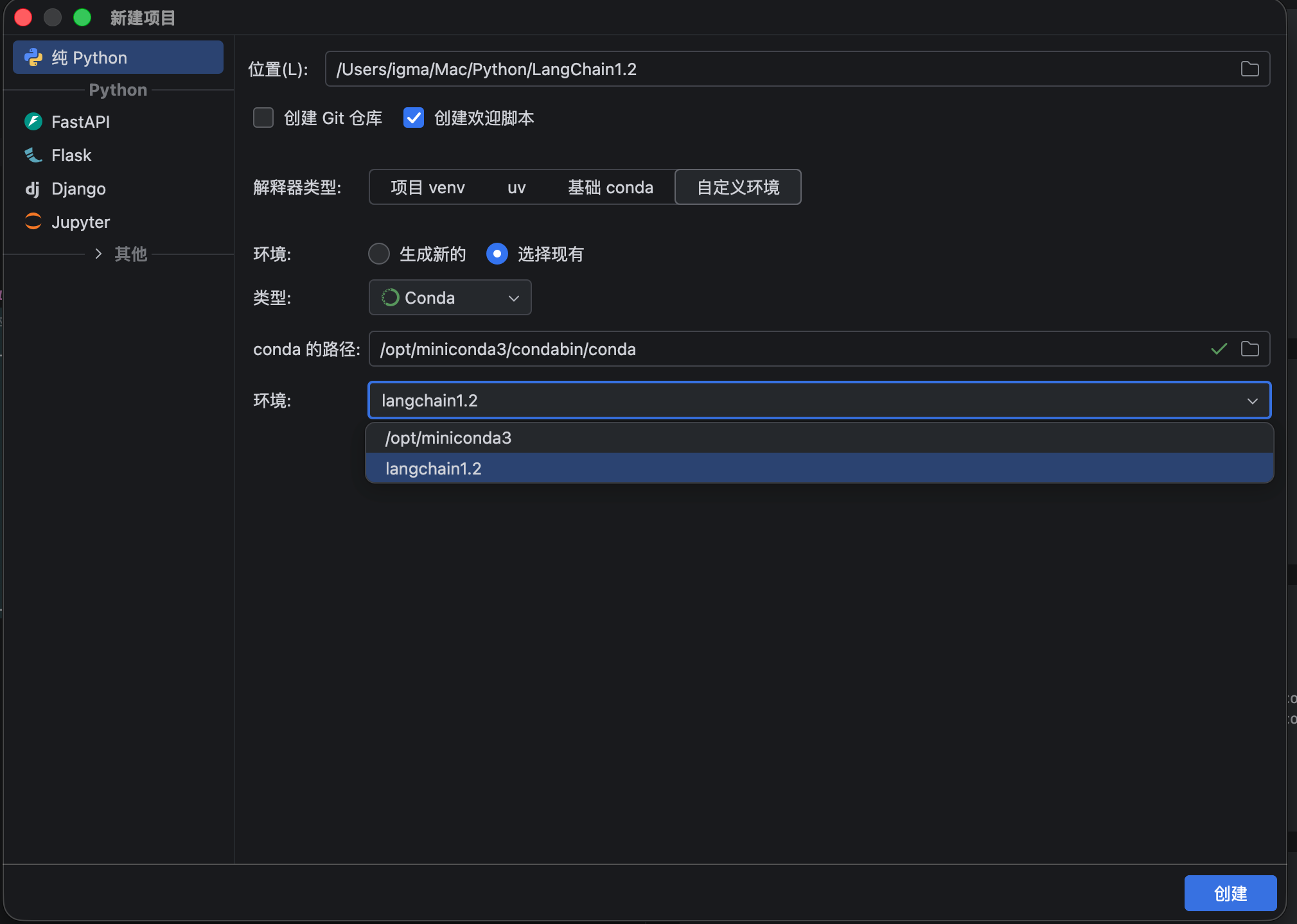
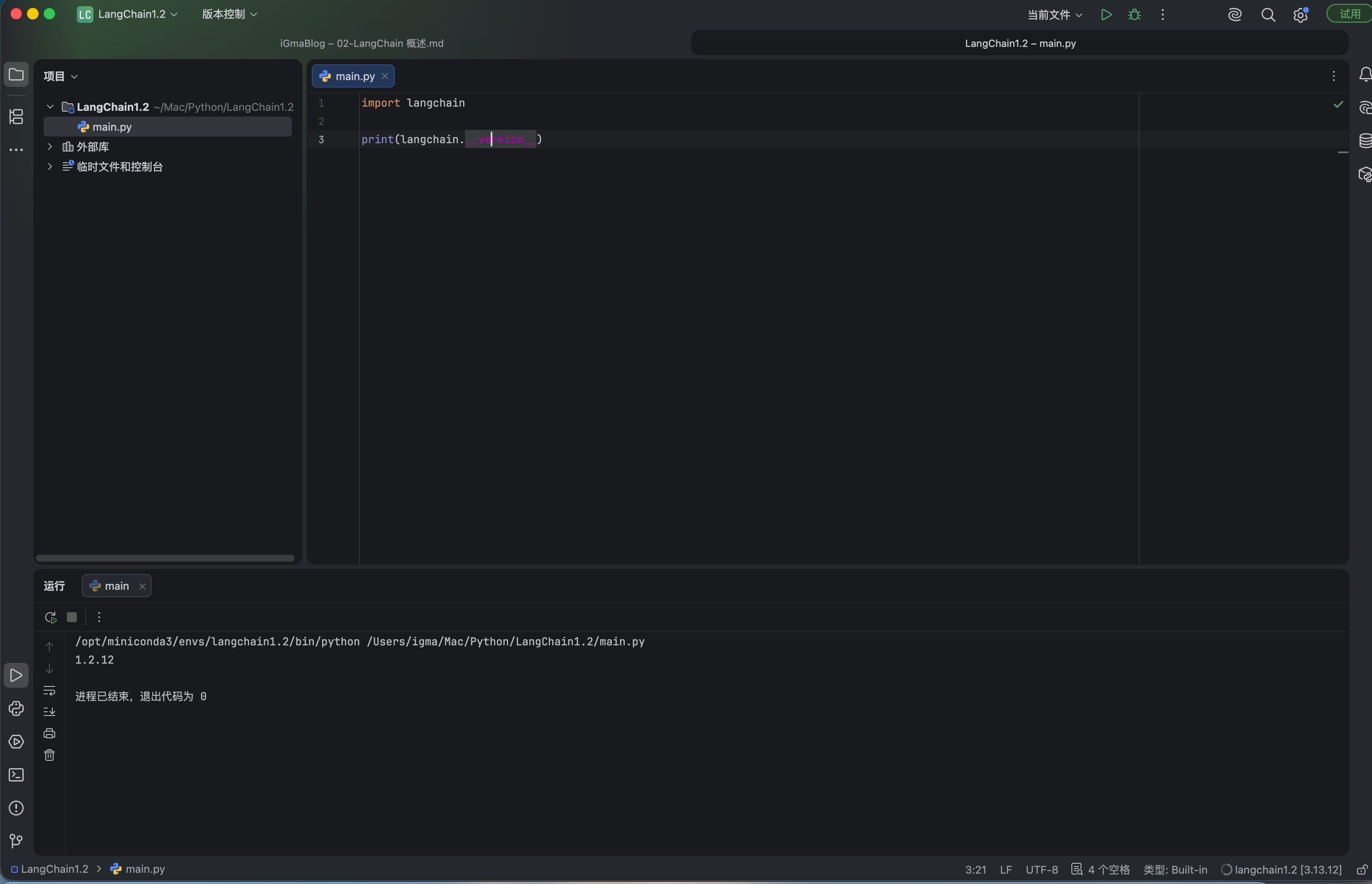
输出 langchain 的版本
大模型全家桶
RAG
大模型的知识冻结:大模型LLM无法实时学习最新的信息,导致LLM难以应对时间敏感的问题。大模型幻觉:涉及到大模型从未在训练过程中学习过的信息时,大模型无法给出准确的答复,转而开始编造答案。RAG:全称 Retrieval-Augmented Generation,检索增强生成。RAG 工作流程:先检索外部资料,再把资料喂给大模型,让模型基于查到的内容来回答,而不是只靠它本身训练学到的知识。
Agent
- 给大模型加上思考规划、自主决策、调用工具、循环执行能力,能自己一步步完成复杂任务的程序。
- 两张图理解 RAG 和 Agent
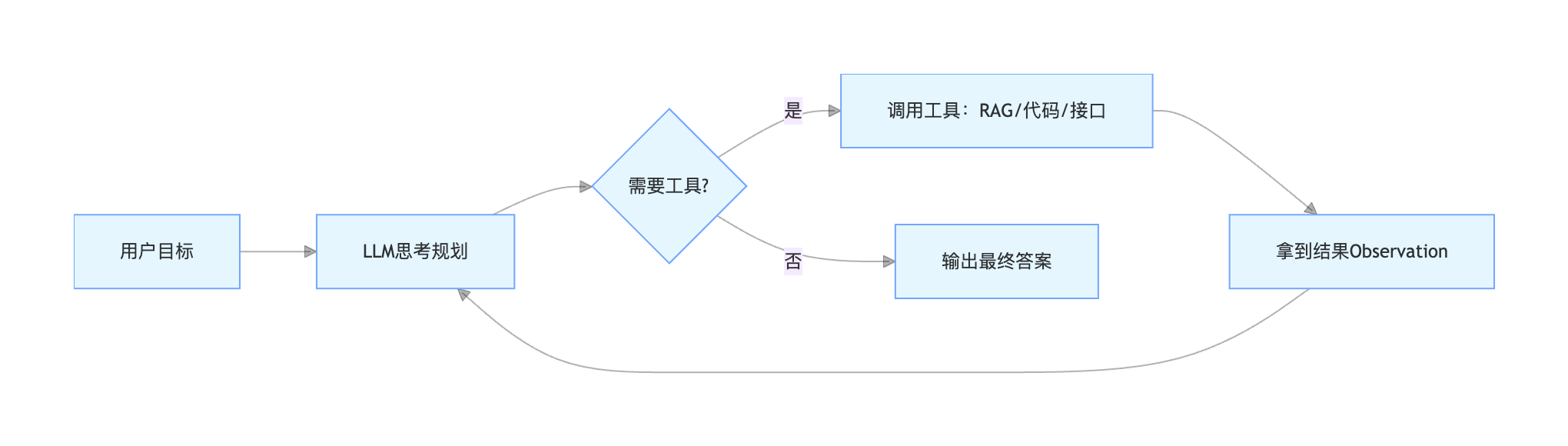
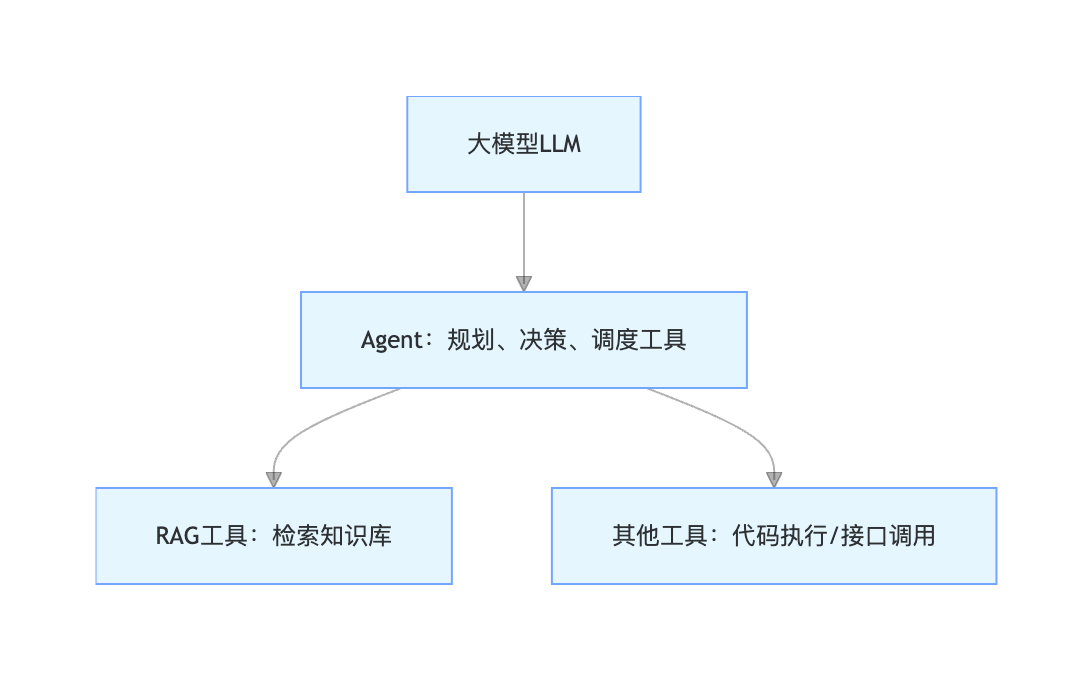
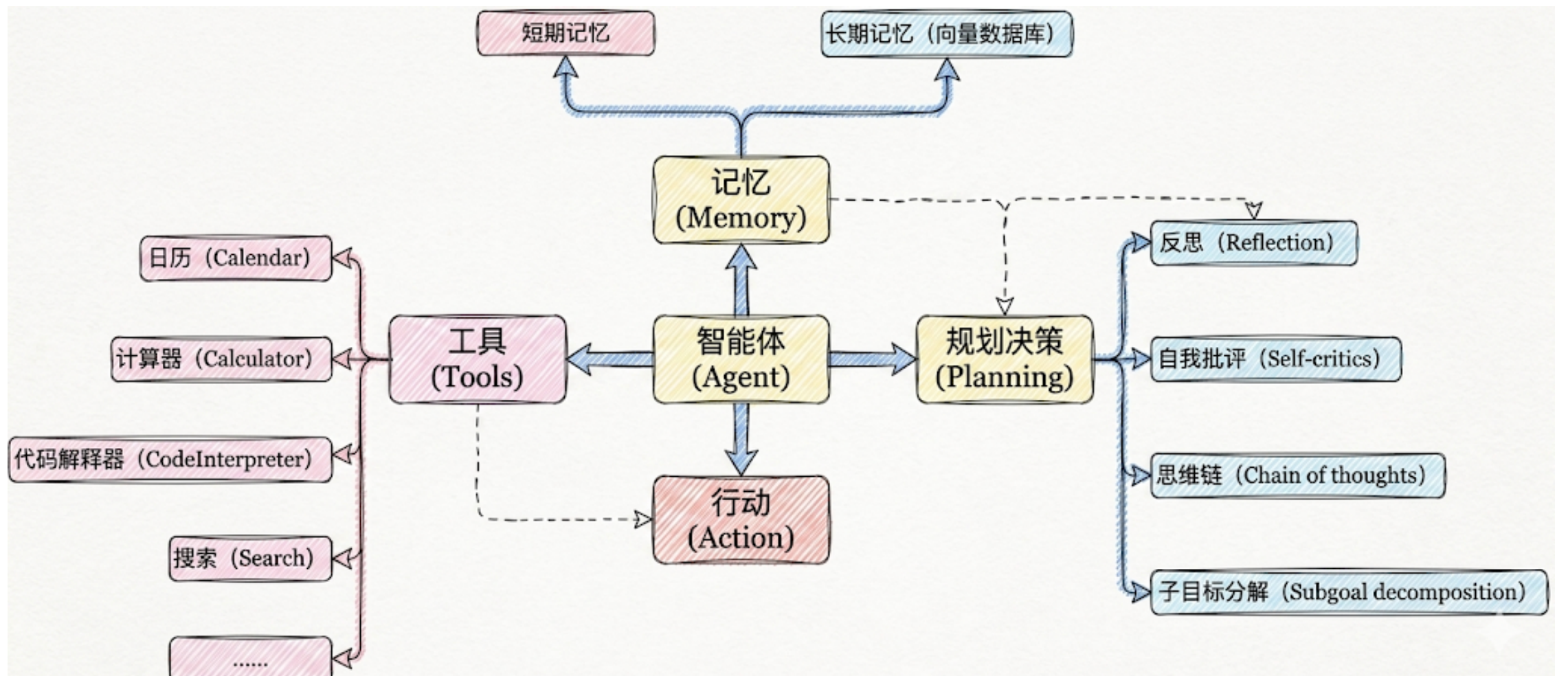
- Agent = LLM + Planning + Tools + Memory + Action
- 大模型(LLM):提供推理、规划和知识理解能力。
- 规划决策(Planning):通过任务分解、反思与自省框架实现复杂任务处理。
- 工具使用(Tool Use):调用外部工具(如API、数据库)扩展能力边界。
- 记忆(Memory):
- 短期记忆:只存储单次对话周期的上下文信息。
- 长期记忆:可以横跨多个会话或时间周期,可存储并调用核心知识,非即时任务。
- 行动(Action):实际执行决策的模块,涵盖软件接口操作(如自动订票)和物理交互(如机器人执行搬运)
大模型应用开发的4个场景
- 纯 Prompt:Prompt 是操作大模型的唯一接口。你说一句,ta回一句,你再说一句,ta再回一句...
- Agent + Function Calling
- Agent:AI 主动提要求,
- Function Calling:需要对接外部系统时,AI 要求执行某个函数。
- RAG:需要补充领域知识时使用
- Fine-tuning(精调/微调)