
搜索文档
创建项目
sh
npm create vue@latest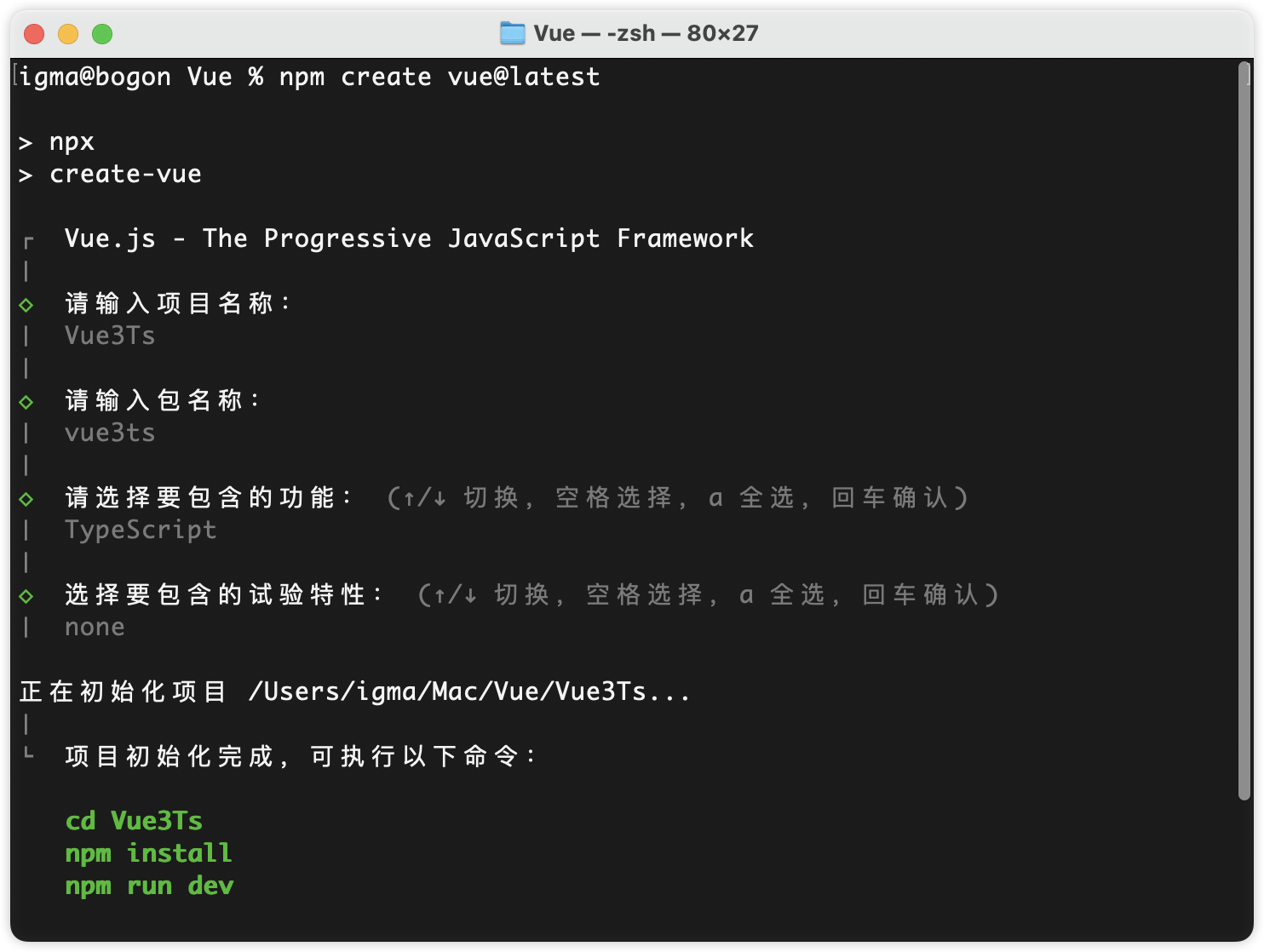
目录结构
env.d.ts:让 TS 认识 .jpg、.txt 等文件。index.html:入口文件。tsconfig.json、tsconfig.app.json、tsconfig.node.json:这三个都是 TS 的配置文件,不能删除。vite.config.ts全局 Vite 配置文件。
setup 语法糖之命名组件
在之前的写法中,如果我们使用了 setup 语法糖那么就不能给组件命名,原因是组件的命名需要通过 export default {name: 'xxx'} 实现,如果要同时使用 setup 语法并且给组件命名,有两种写法:
可以写两个
<script>标签。vue<script lang="ts"> export default { name: 'AppComponents' } </script> <script setup lang="ts"> console.log('123', 123); </script>使用
vite-plugin-vue-setup-extend插件。安装
shnpm i vite-plugin-vue-setup-extend -D引入
vite.config.tstsimport {defineConfig} from 'vite' import vue from '@vitejs/plugin-vue' import vueSetupExtend from 'vite-plugin-vue-setup-extend' export default defineConfig({ plugins: [ vue(), vueSetupExtend(), ... ], ... })使用
vue<script setup lang="ts" name="AppCom"> console.log('123', 123); </script>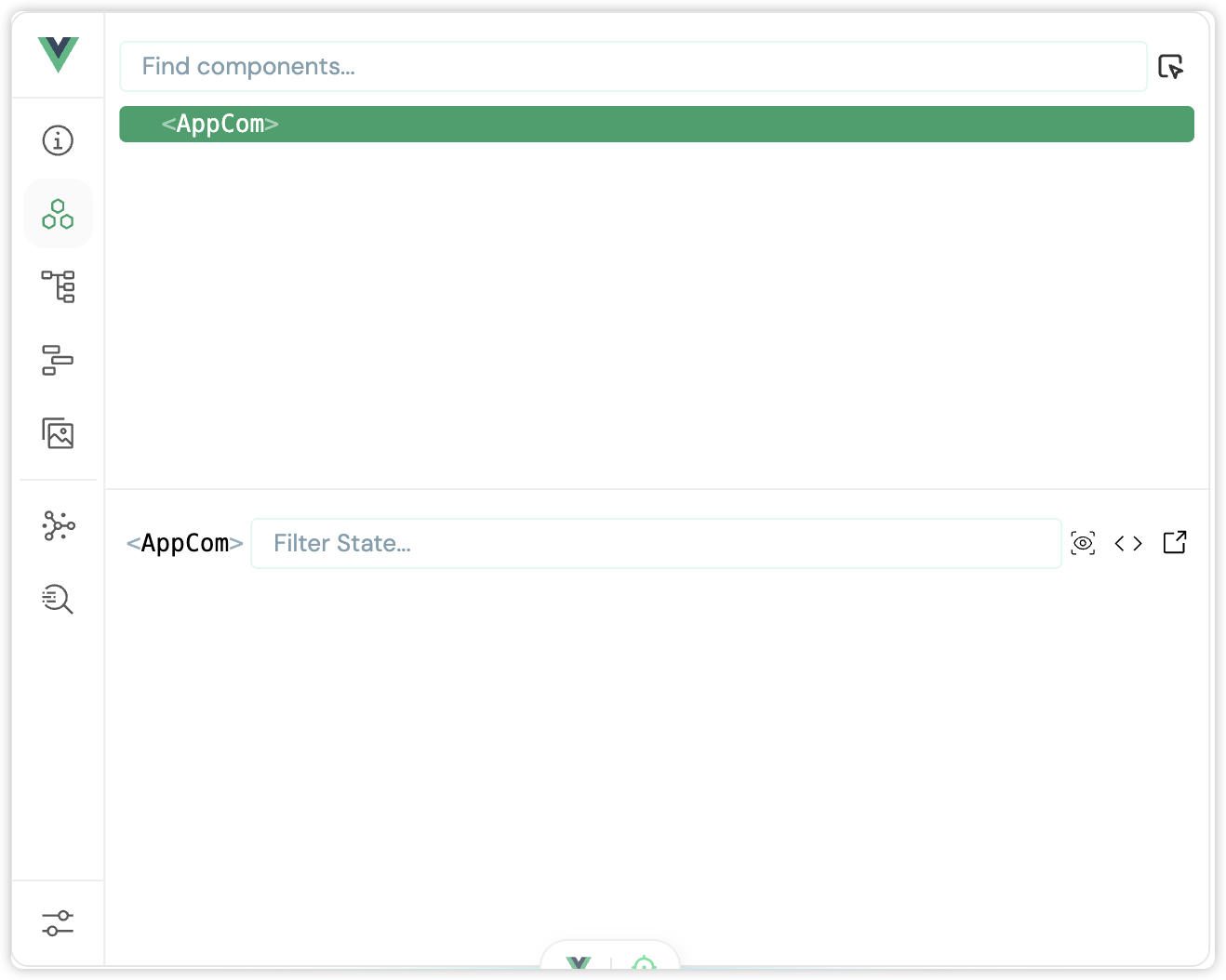
解决 reactive 局限性问题
当我们用 reactive 定义一个响应式对象,再对响应式对象重新赋值后该对象将失去响应式的意义。
vue
<script setup lang="ts">
import {reactive} from "vue";

let obj = reactive({a: 10, b: 'lala'});
setTimeout(() => {
    obj = reactive({a: 20, b: 'haha'});		// 此时的 obj 不在作为响应式数据使用
}, 1000)
</script>

<template>
    <p>属性 A:{{obj.a}}</p>
    <p>属性 B:{{obj.b}}</p>
</template>可以通过 Object.assign() 方法替换整个对象
vue
<script setup lang="ts">
import {reactive} from "vue";

let obj = reactive({a: 10, b: 'lala'});
setTimeout(() => {
    Object.assign(obj, {a: 20, b: 'haha'});
}, 1000)
</script>

<template>
    <p>属性 A:{{obj.a}}</p>
    <p>属性 B:{{obj.b}}</p>
</template>终止监听
在使用 watch 监听某个数据时,调用 watch() 方法会返回一个回调函数,调用该函数即可终止监听。
vue
<script setup lang="ts">
import {ref, watch} from "vue";

let sum = ref(0);
let stopWatch = watch(sum, (newVal, oldVal) => {
    console.log(`newVal: ${newVal}, oldVal: ${oldVal}`);
    if (newVal > 10) stopWatch();
});
</script>

<template>
    <p>sum: {{sum}}</p>
    <button @click="sum++">sum 自增</button>
</template>Ts接口/范型/自定义类型
定义语法
ts
// 定义接口限制用户属性,类似于 SpringBoot 中的实体类
export interface User {
    id: number;
    name: string;
    age: number;
    gender?: string
}

// 定义范型
export type Users = Array<User>;

// 自定义类型
export type UserList = User[];接口定义中 key 后面的 ? 表示属性可有可无,没有 ? 的必须出现在数据中。
使用
vue
<script setup lang="ts">
import type {User, UserList, Users} from "@/types";

let user: User = {
    id: 1,
    name: '张三',
    age: 18
}
console.log(user)

let users: Users = [
    {id: 1, name: '张三', age: 18},
    {id: 2, name: '李四', age: 19},
    {id: 3, name: '王五', age: 20}
];
console.log(users)

let userList: UserList = [
    {id: 1, name: '张三', age: 18},
    {id: 2, name: '李四', age: 19},
    {id: 3, name: '王五', age: 20}
];
console.log(userList)
</script>props 传参
父组件传参:App.vue
vue
<script setup lang="ts">
import type {UserList} from "@/types";
import User from "@/components/User.vue";
import {reactive} from "vue";

let userList = reactive<UserList>([
    {id: 1, name: '张三', age: 18},
    {id: 2, name: '李四', age: 19},
    {id: 3, name: '王五', age: 20}
])
</script>

<template>
    <User :list="userList" />
</template>接参
vue
<script setup lang="ts">
defineProps(['list']);
</script>限制类型
vue
<script setup lang="ts">
import type {UserList} from "@/types";

defineProps<{list: UserList}>();
</script>限制必要性
vue
<script setup lang="ts">
import type {UserList} from "@/types";

defineProps<{list?: UserList}>();
</script>默认值
vue
<script setup lang="ts">
import type {UserList} from "@/types";

withDefaults(defineProps<{list?: UserList}>(), {
    list: () => [
        {id: 1, name: '张三', age: 18},
        {id: 2, name: '李四', age: 19},
    ]
})
</script>