搜索文档
连接并进入 xscj 库
- 这个库在之前文章中提到过,可参考 创建练习数据库
- 接下来每一条语句都会在这个库中执行。
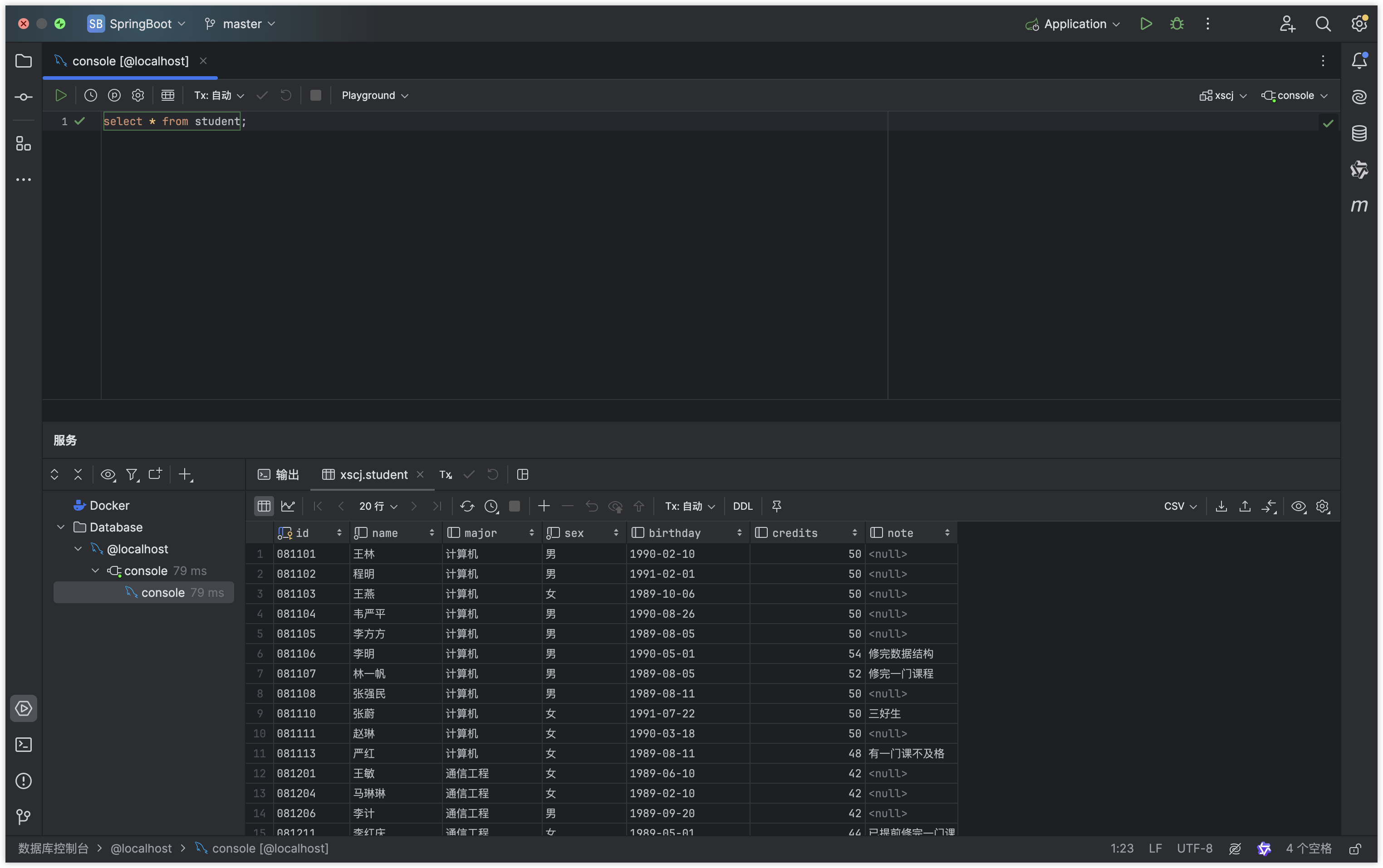
查看表中所有数据
语法:select * from 表名
指令
SQLselect * from student;运行结果
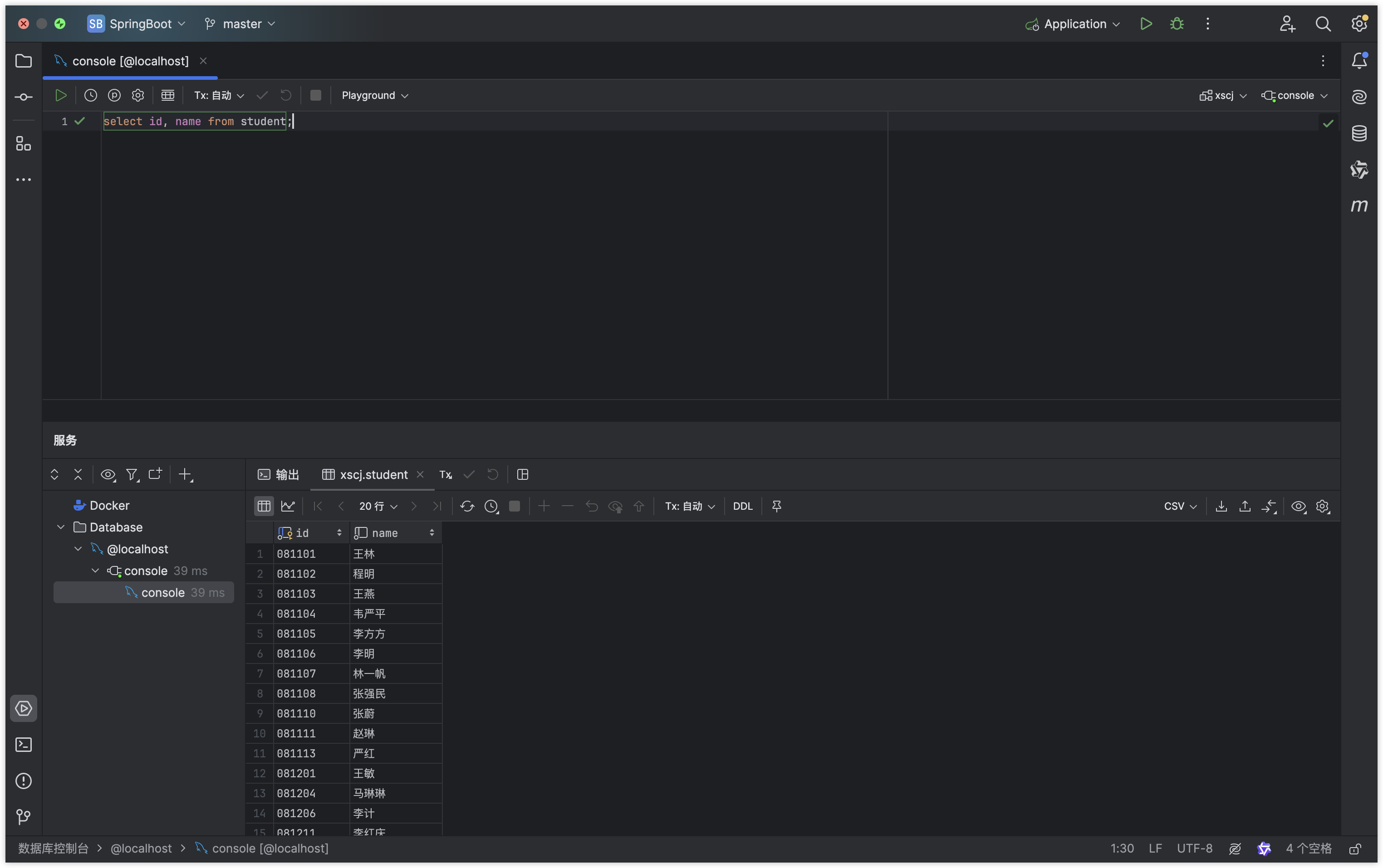
查看表中指定字段
语法:select 字段1,字段2 from 表名
指令
SQLselect id, name from student;运行结果
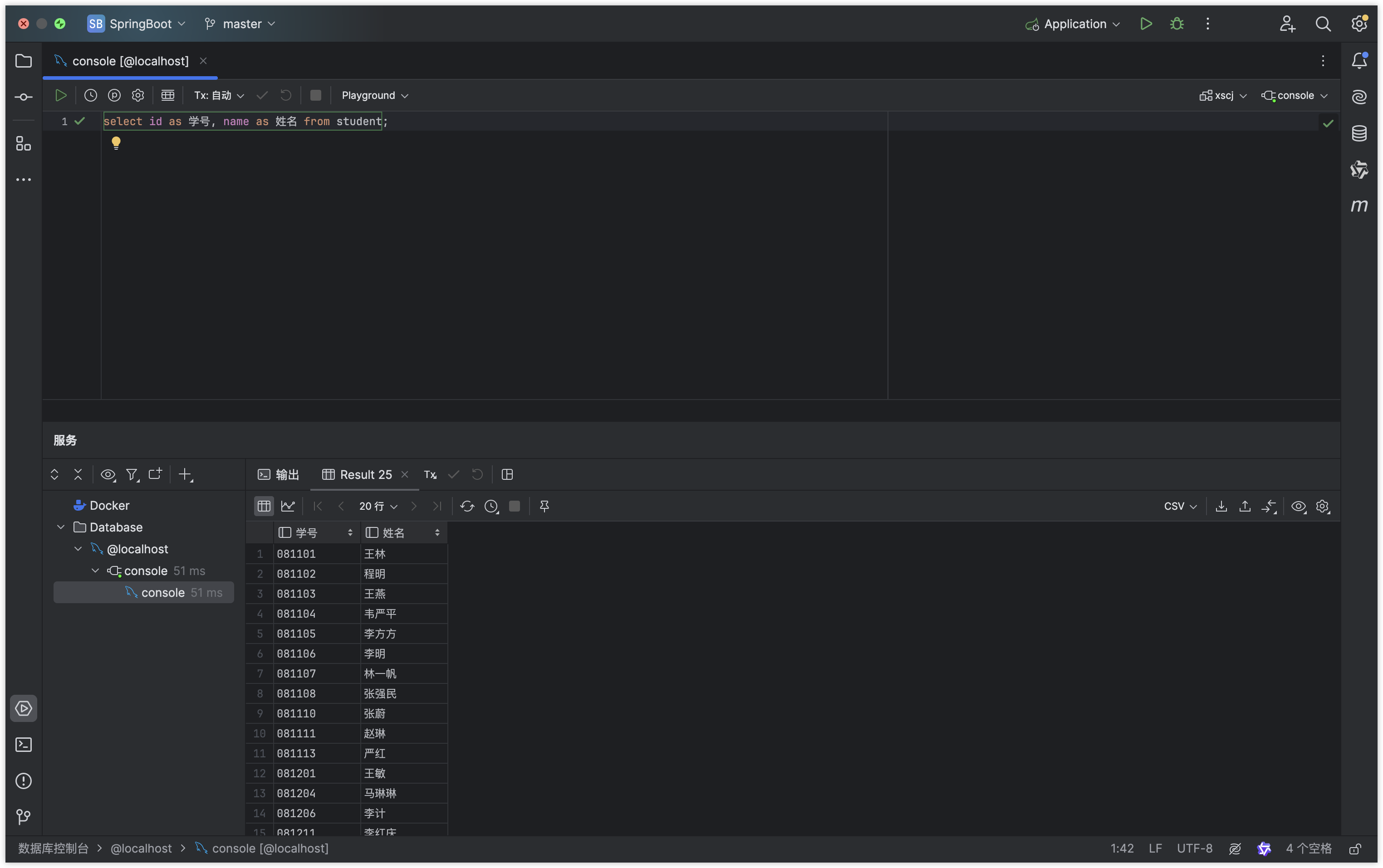
查看表中指定字段并起别名
语法:select 字段1 as 字段1别名,字段2 as 字段2别名 from 表名
指令
SQLselect id as 学号, name as 姓名 from student;运行结果
条件查询
语法:select {* || 字段名} from 表名 where 关系表达式或逻辑表达式
例 1:在 xs 表中找到计算机专业的学生。
指令
SQLselect * from student where major = '计算机';运行结果
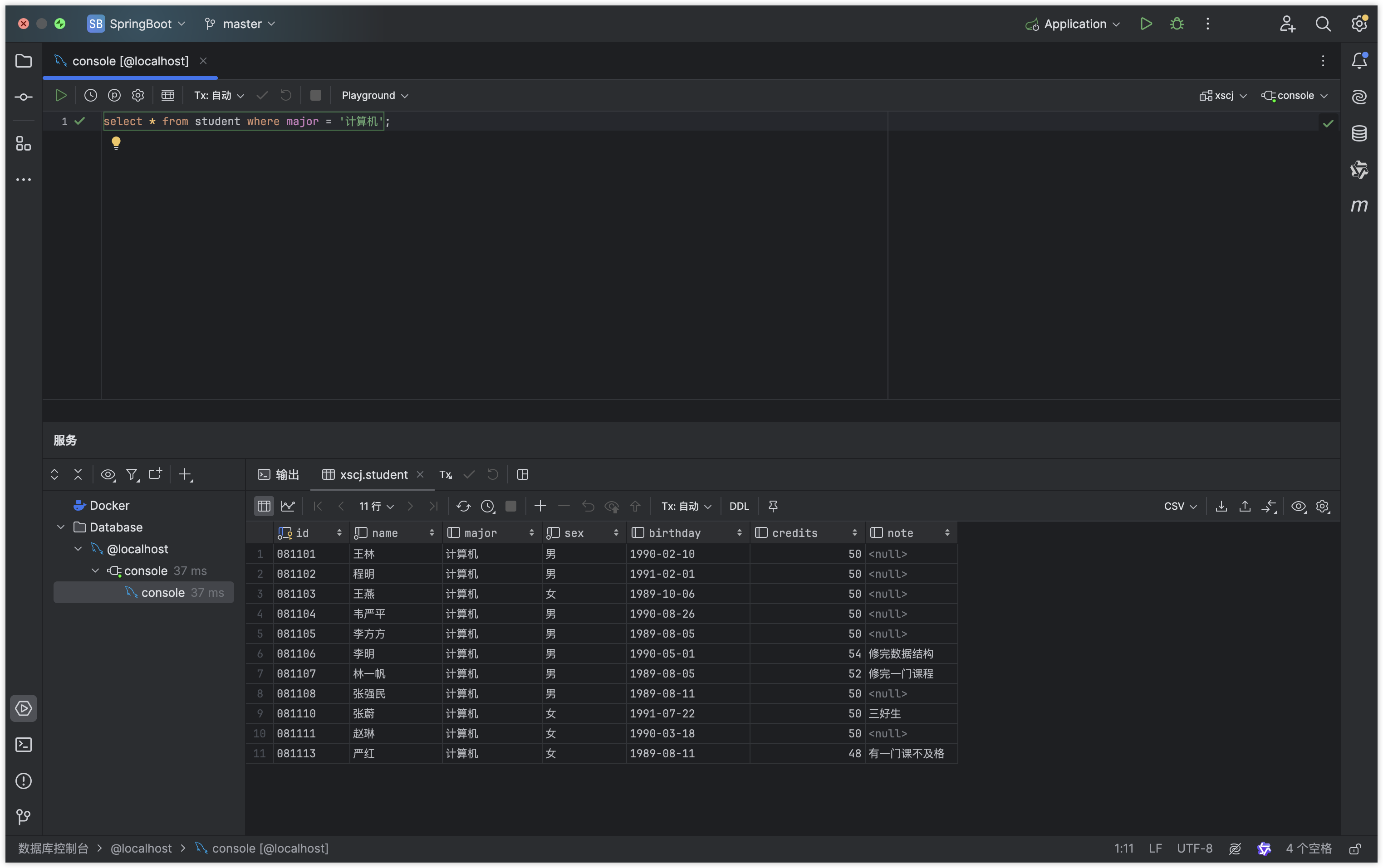
例 2:在 student 表中找到计算机专业且总学分大于 50 的学生。
指令:
SQLselect * from student where major = '计算机' and credits > 50;运行结果
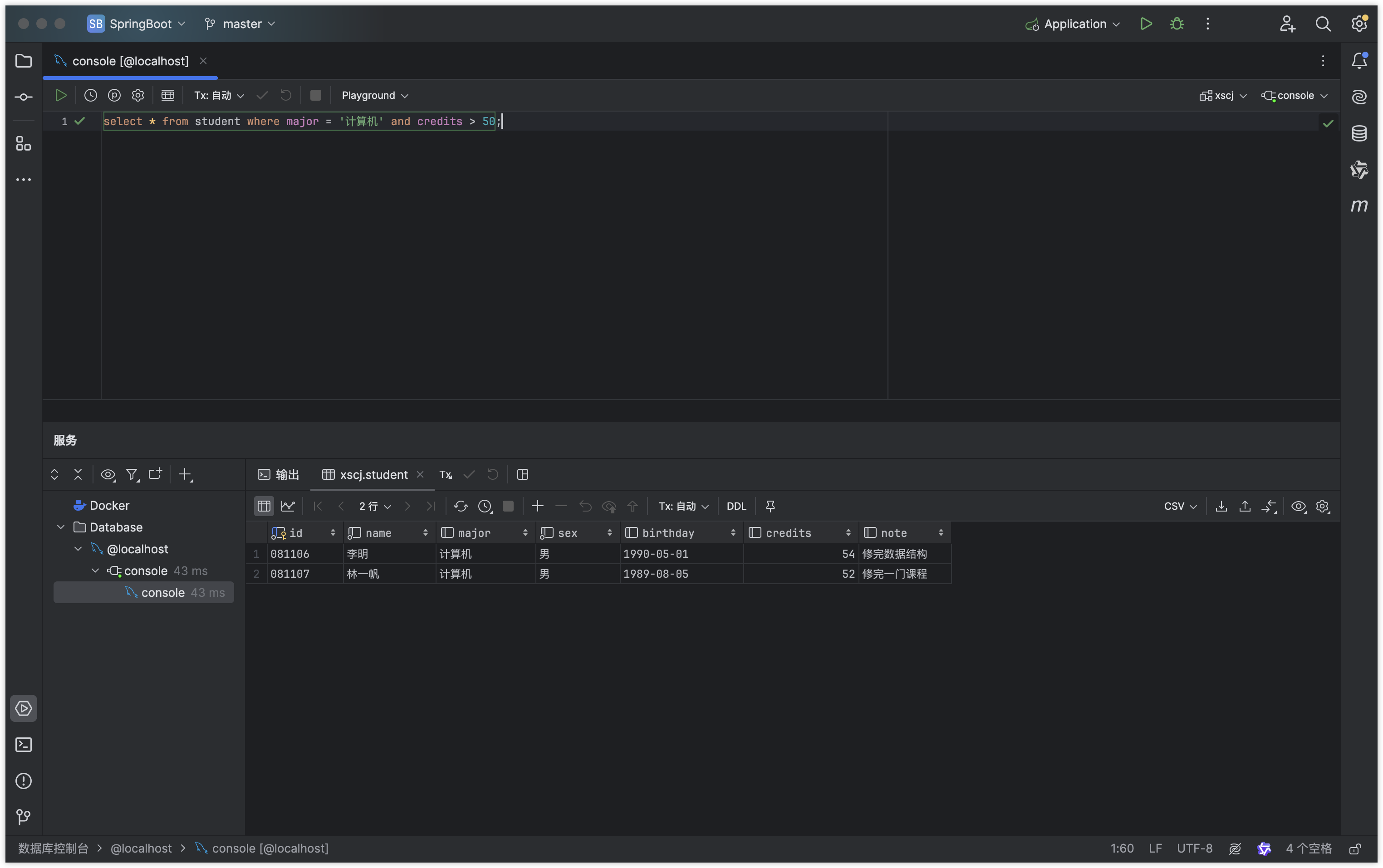
case when 语句
作用:流程控制语句。可以根据某一列的值计算等级。
需求:查询student表中计算机系各同学的学号、姓名和总学分,对其总学分按以下规则进行替换:若总学分为空值,替换为“尚未选课”;若总学分小于50,替换为“不及格”;若总学分在50与52之间,替换为“合格”;若总学分大于52,替换为“优秀”。列标题更改为“等级”。
指令:
SQLselect id, name, credits, case when credits < 50 then '不及格' when credits < 52 then '及格' when credits > 52 then '优秀' else '尚未选课' end as '等级' from student where major = '计算机';运行结果
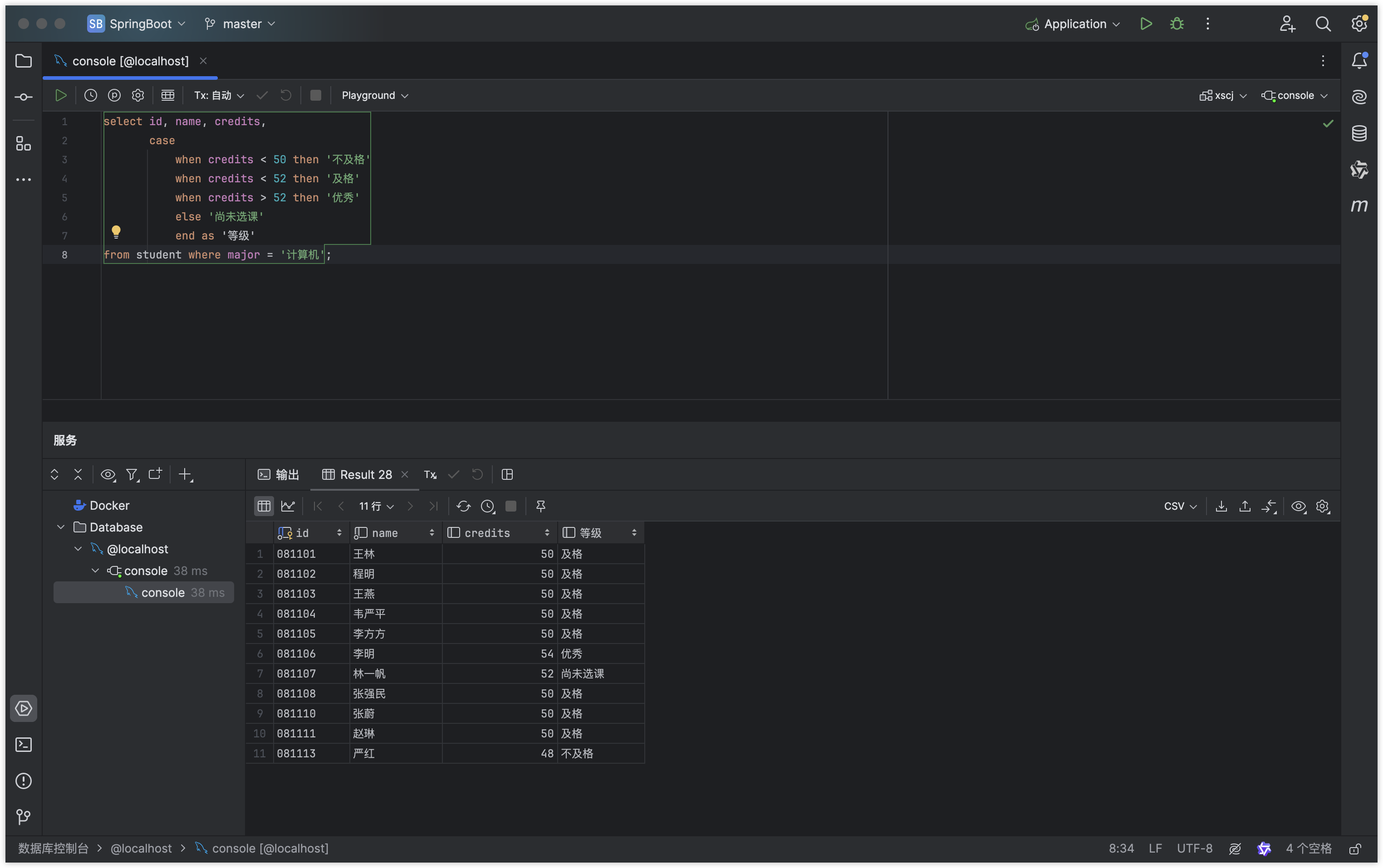
计算列值
在输出一列是,可以对列值进行运算
例:在 class 表中按 120 分计算成绩显示,学号为 081101 的学生的成绩情况。
指令
SQLselect sid, cid, results * 1.2 from results where sid = '081101';运行结果
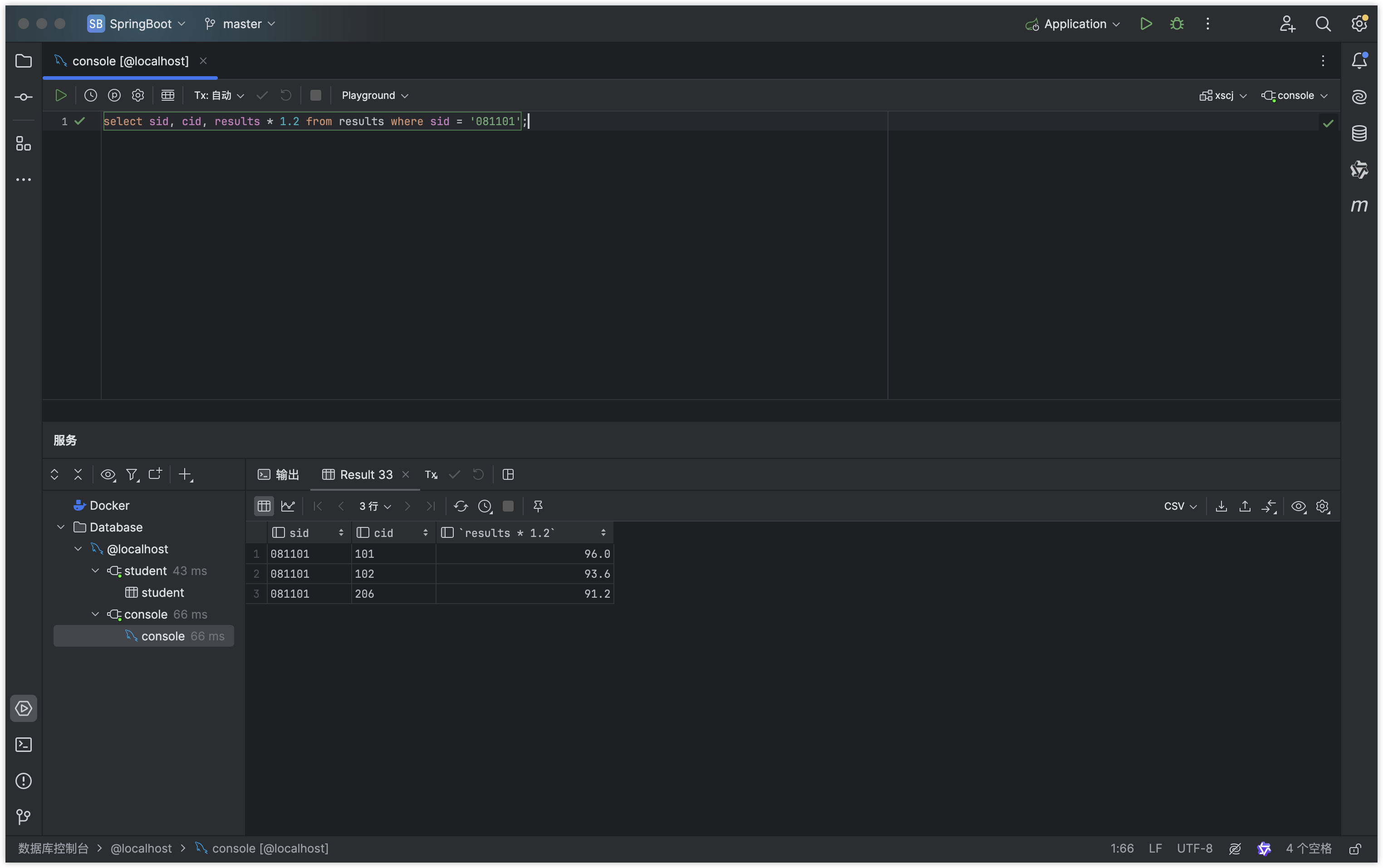
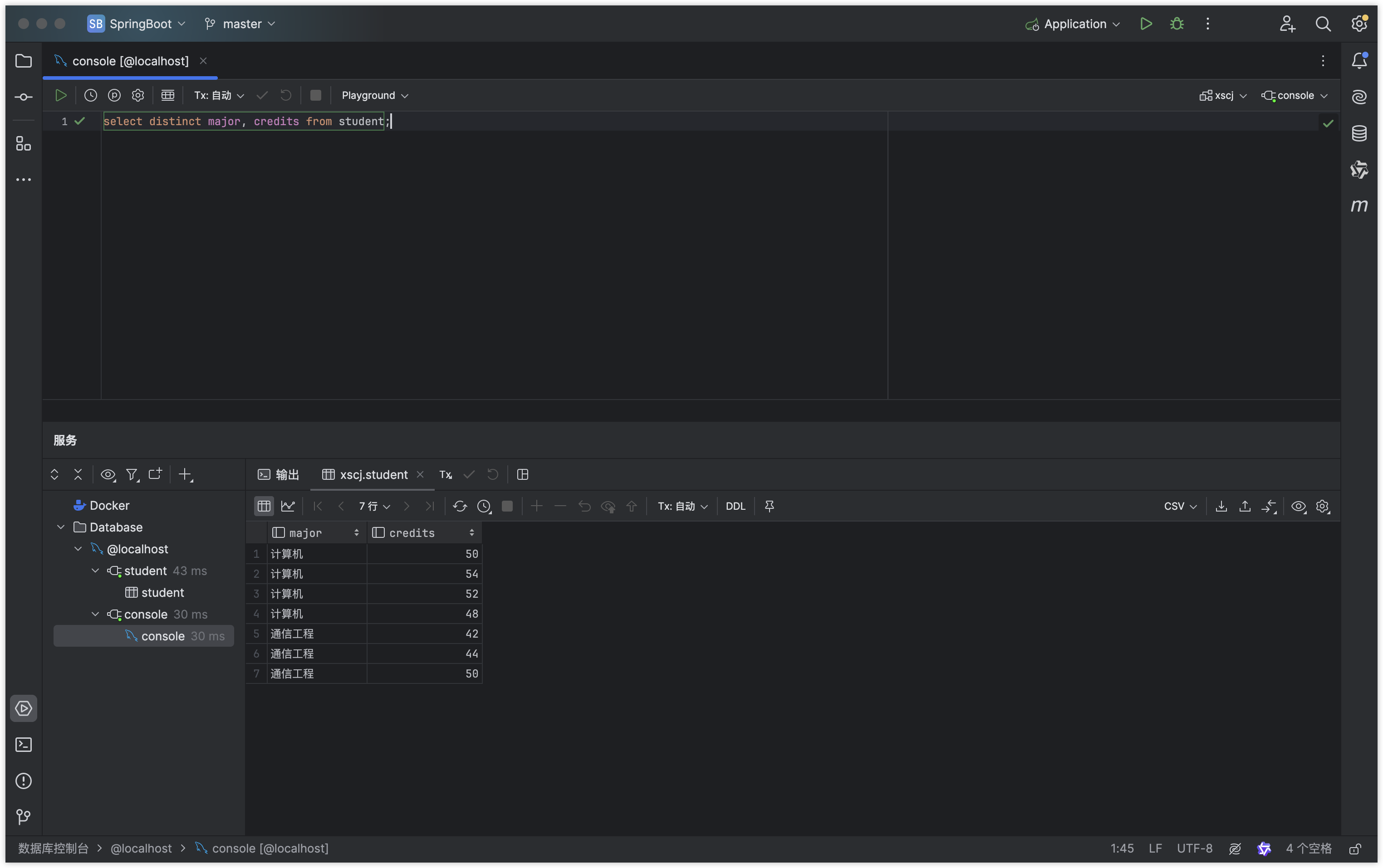
消除重复数据
语法:select distinct {* || 字段} from 表名
指令
SQLselect distinct major, credits from student;运行结果
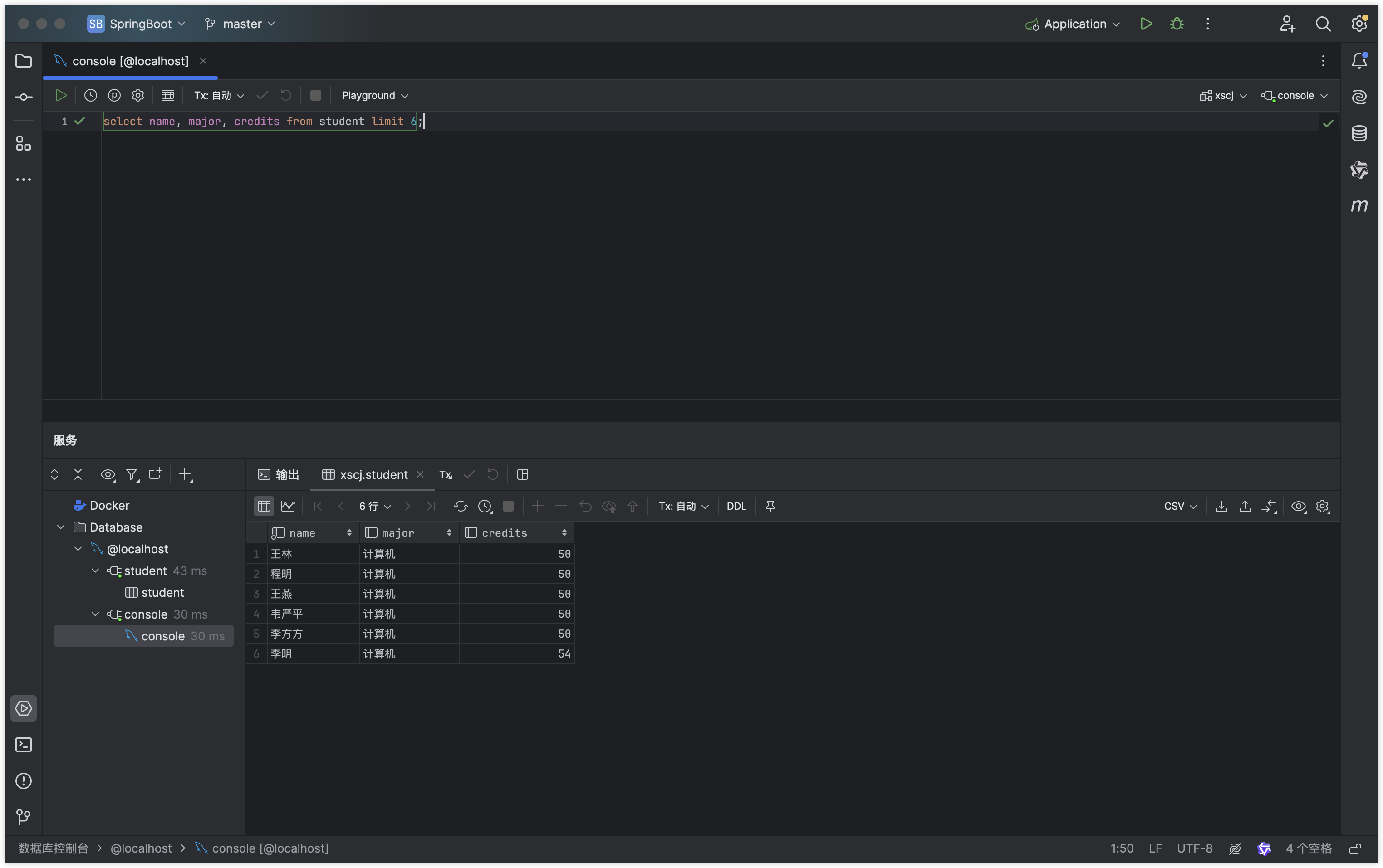
规定查询结果返回的行数
需求:对XSCJ数据库的student表选择姓名、专业和总学分,只返回结果集的前6行。
指令
SQLselect name, major, credits from student limit 6;运行结果