
搜索文档
特点
- 从浏览器生成 XMLHttpRequests
- 从 node.js 发出 http 请求
- 支持 Promise API
- 拦截请求和响应
- 转换请求和响应数据
- 取消请求
- JSON 数据的自动转换
- 客户端支持防止XSRF攻击
引入 axios
项目开发中,通常使用 npm 的方式引入。
这里为了学习 axios,我们在
.html文件中直接使用 CDN 的方式引入 axioshtml<script src="https://cdnjs.cloudflare.com/ajax/libs/axios/0.25.0/axios.min.js"></script>为了让页面看着舒适一些,我们在
.html文件中引入bootstrap.csshtml<link href="https://cdnjs.cloudflare.com/ajax/libs/twitter-bootstrap/4.6.1/css/bootstrap.min.css" rel="stylesheet">编辑
.html文件,查看运行效果html<!DOCTYPE html> <html lang="en"> <head> <meta charset="UTF-8"> <title>axios 基本用法</title> <script src="https://cdnjs.cloudflare.com/ajax/libs/axios/0.25.0/axios.min.js"></script> <link href="https://cdnjs.cloudflare.com/ajax/libs/twitter-bootstrap/4.6.1/css/bootstrap.min.css" rel="stylesheet"> </head> <body> <div class="container"> <h2 class="page-header">axios 基本用法</h2> <button class="btn btn-primary">发送 GET 请求</button> <button class="btn btn-warning" style="color: white;">发送 POST 请求</button> <button class="btn btn-success">发送 PUT 请求</button> <button class="btn btn-danger">发送 DELETE 请求</button> </div> <script> console.log(axios); </script> </body> </html>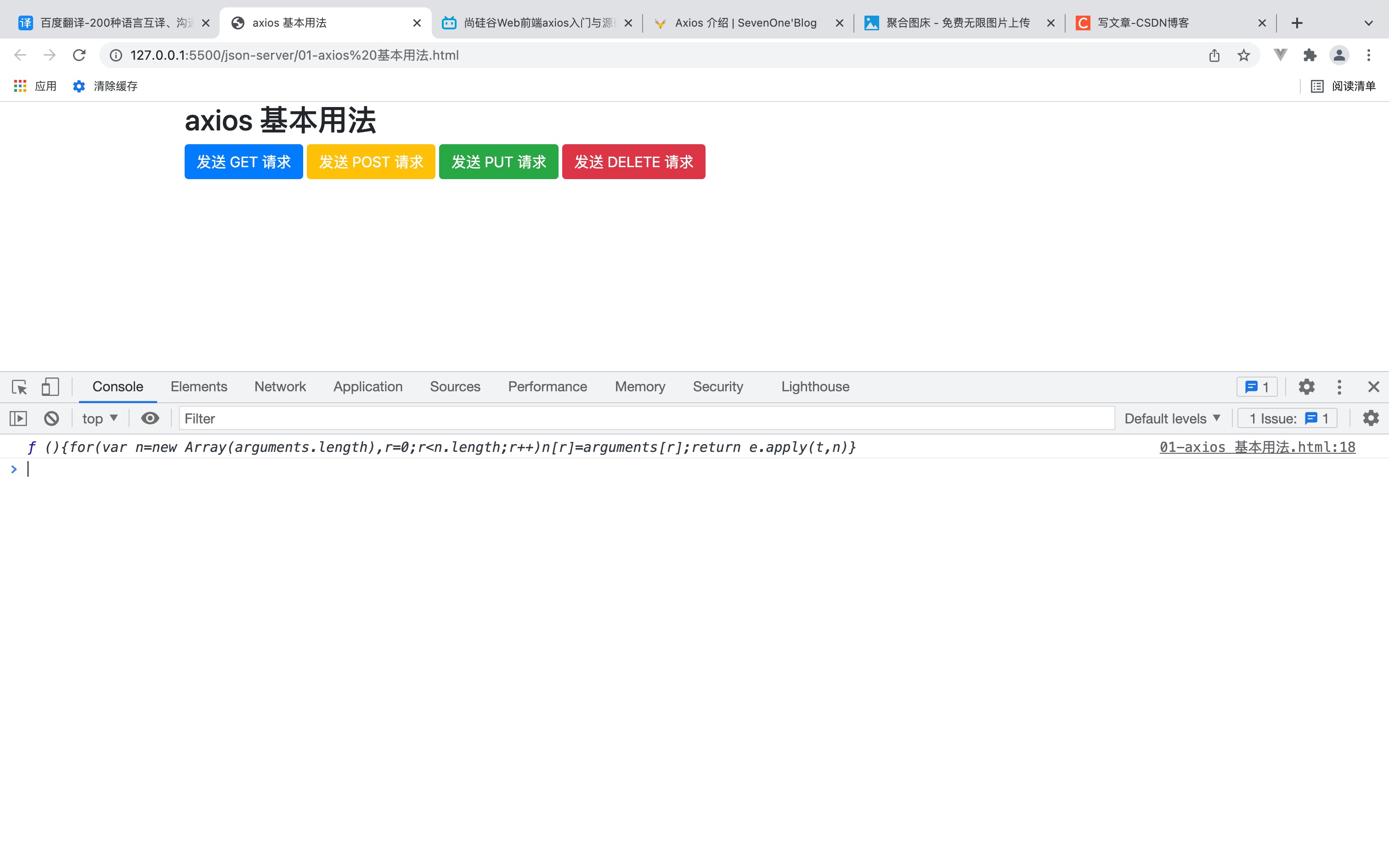
axios()
- axios() 函数接收的是一个配置对象,对象中包括 method、url、data 等配置信息。
- method:用于配置请求方式,如 GET、POST 等。
- url:请求路径。
- data:发起请求时携带的数据。
发起请求
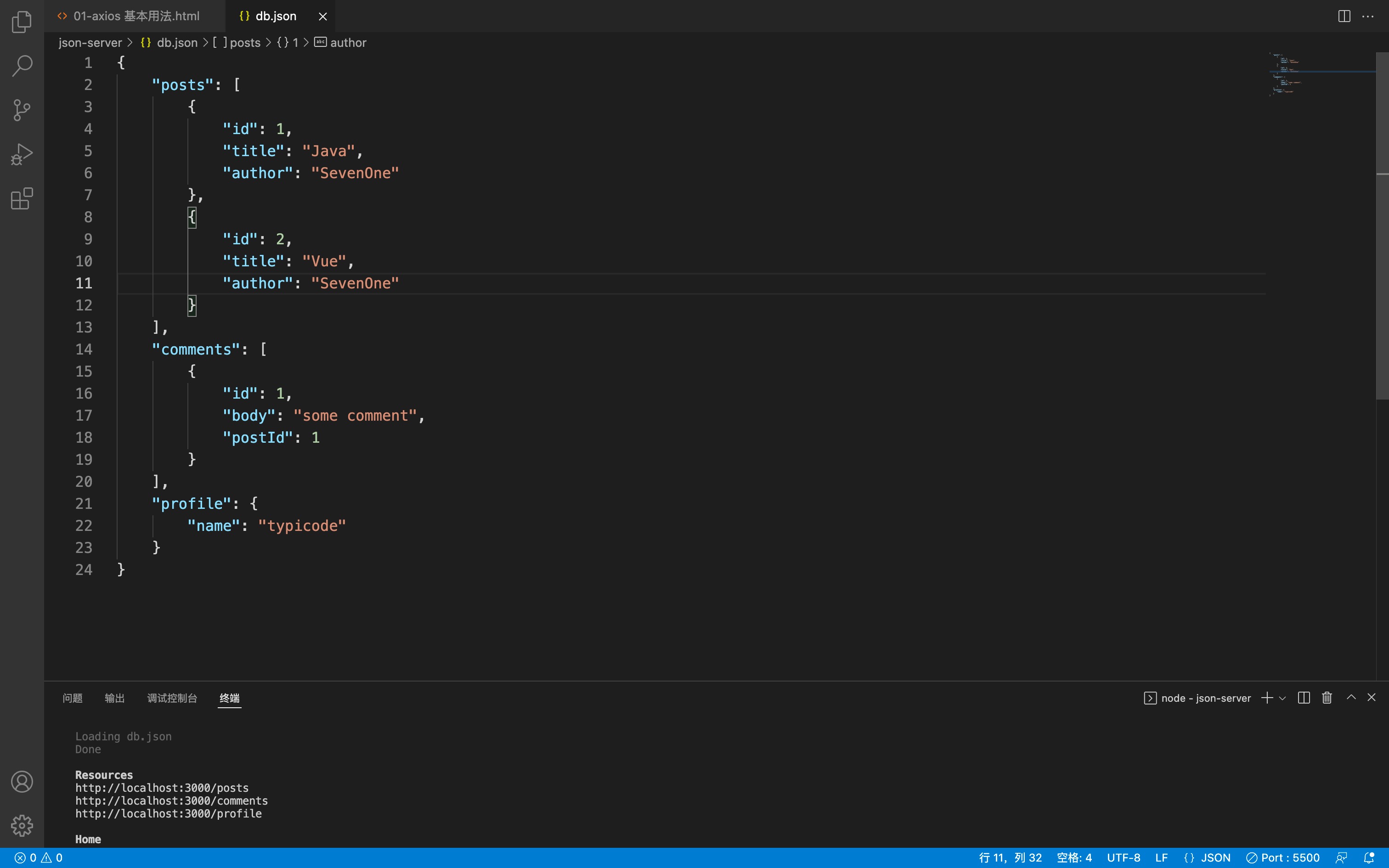
发起请求前应先开启 json-server 服务,数据源在 db.json 中。
get 请求
git 请求通常用于查询数据。
在 axios() 函数配置项中 method 的默认值是 git,在发起网络请求的时可简写成
javascriptaxios({ url: 'http://localhost:3000/posts', }).then(res => { console.log(res); })在 axios 对象身上有个 git 方法,也可以用它发起 git 请求
javascriptaxios.get('http://localhost:3000/posts').then(res => { console.log(res); })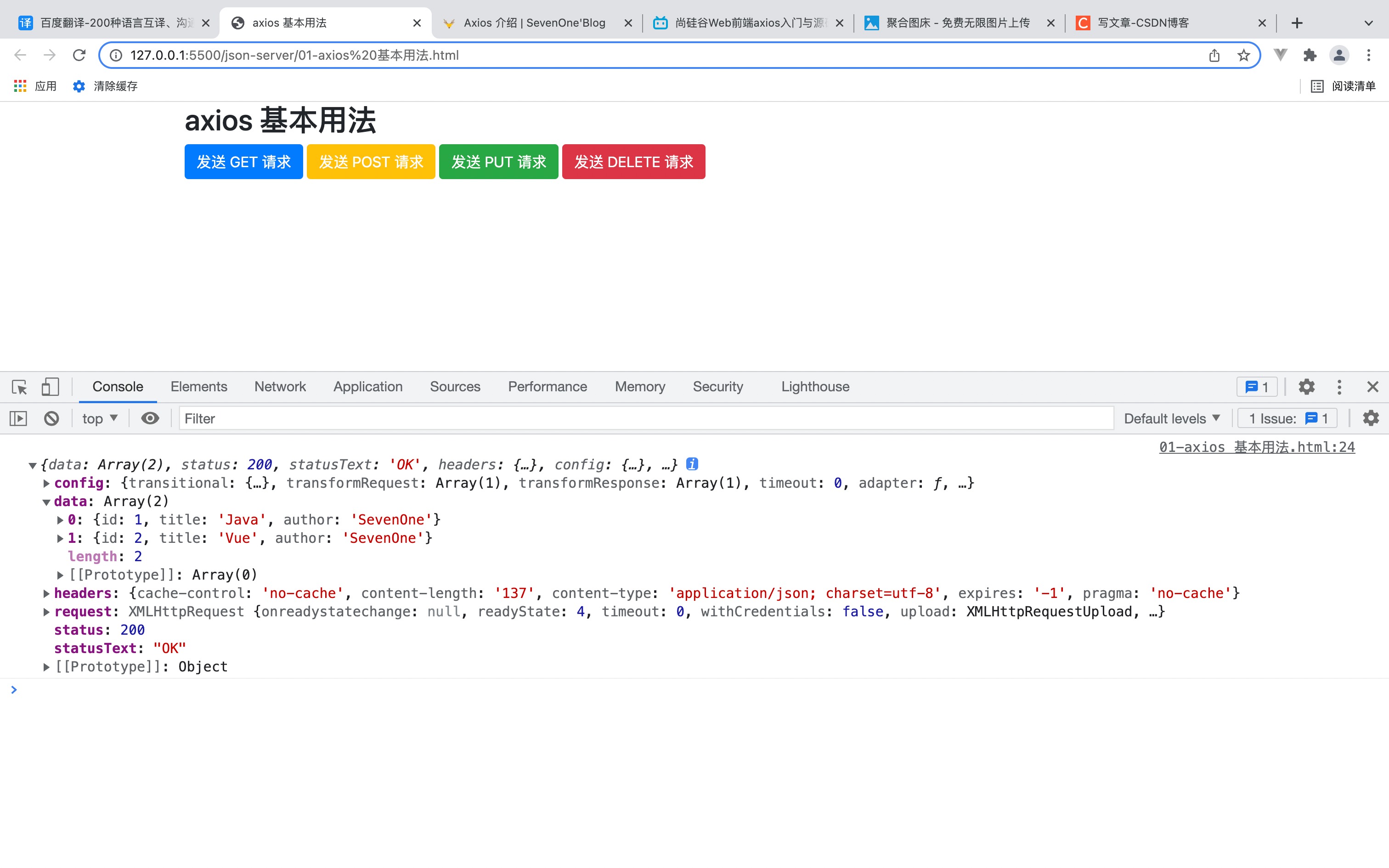
如果有请求参数,可以在 url 后面拼接。
javascriptaxios({ url: 'http://localhost:3000/posts?title=Java', }).then(res => { console.log(res); })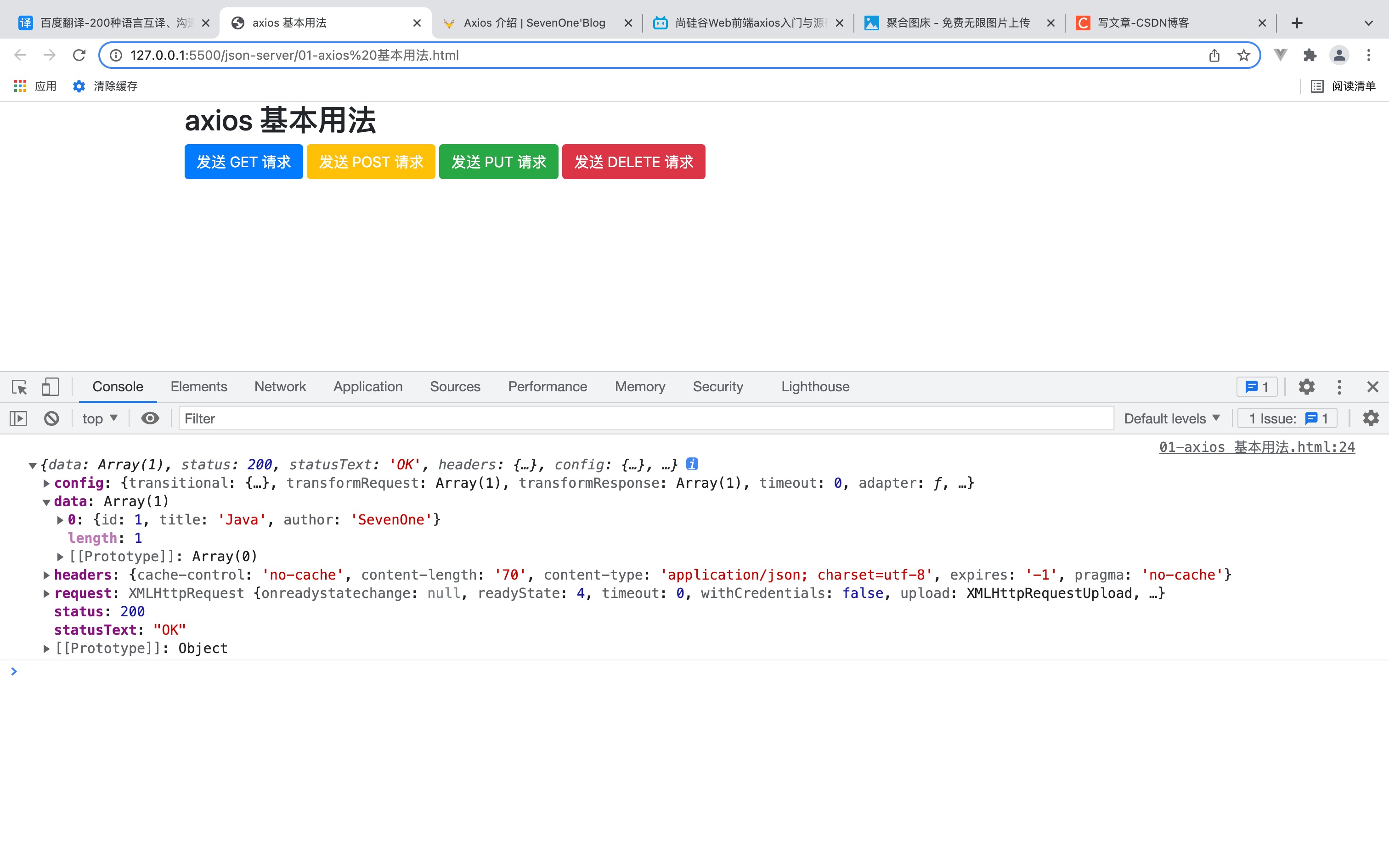
post 请求
post 请求通常用于添加数据。
发起请求
javascriptaxios({ method: 'POST', url: 'http://localhost:3000/posts', data: { title: 'H5+C3', author: '张三' } }).then(res => { console.log(res); })添加数据后,
db.json文件也会同步数据。
Demo 源码
HTML
<!DOCTYPE html>
<html lang="en">
<head>
<meta charset="UTF-8">
<title>axios 基本用法</title>
<script src="https://cdnjs.cloudflare.com/ajax/libs/axios/0.25.0/axios.min.js"></script>
<link href="https://cdnjs.cloudflare.com/ajax/libs/twitter-bootstrap/4.6.1/css/bootstrap.min.css" rel="stylesheet">
</head>
<body>
<div class="container">
<h2 class="page-header">axios 基本用法</h2>
<button class="btn btn-primary">发送 GET 请求</button>
<button class="btn btn-warning" style="color: white;">发送 POST 请求</button>
<button class="btn btn-success">发送 PUT 请求</button>
<button class="btn btn-danger">发送 DELETE 请求</button>
</div>
<script>
const btns = document.querySelectorAll('button');
// GET 请求,获取数据
btns[0].onclick = () => {
axios({
  url: 'http://localhost:3000/posts',
}).then(res => {
  console.log(res);
})
}
// post 请求,添加数据
btns[1].onclick = () => {
axios({
  method: 'POST',
  url: 'http://localhost:3000/posts',
  data: {
    title: 'H5+C3',
    author: '张三'
  }
}).then(res => {
  console.log(res);
})
}
// PUT 请求,修改数据
btns[2].onclick = () => {
axios({
method: 'PUT',
url: 'http://localhost:3000/posts/3', // 3 表示要求改的 posts 的 id 值
data: {
title: 'H5+C3',
author: '李四'
}
}).then(res => {
console.log(res);
})
}
// DELETE 请求,删除数据
btns[3].onclick = () => {
axios({
method: 'DELETE',
url: 'http://localhost:3000/posts/3', // 3 表示要求改的 posts 的 id 值
}).then(res => {
console.log(res);
})
}
</script>
</body>
</html>